This SteelSeries GEN3 review looks at the Apex Pro TKL Gen 3, a compact gaming keyboard built around adjustable OmniPoint magnetic switches and a suite of rapid-input features.
Its strongest appeal is customization for players who tune key response around specific games.
Apex Pro TKL Review Summary
The quick verdict
500+ ratings
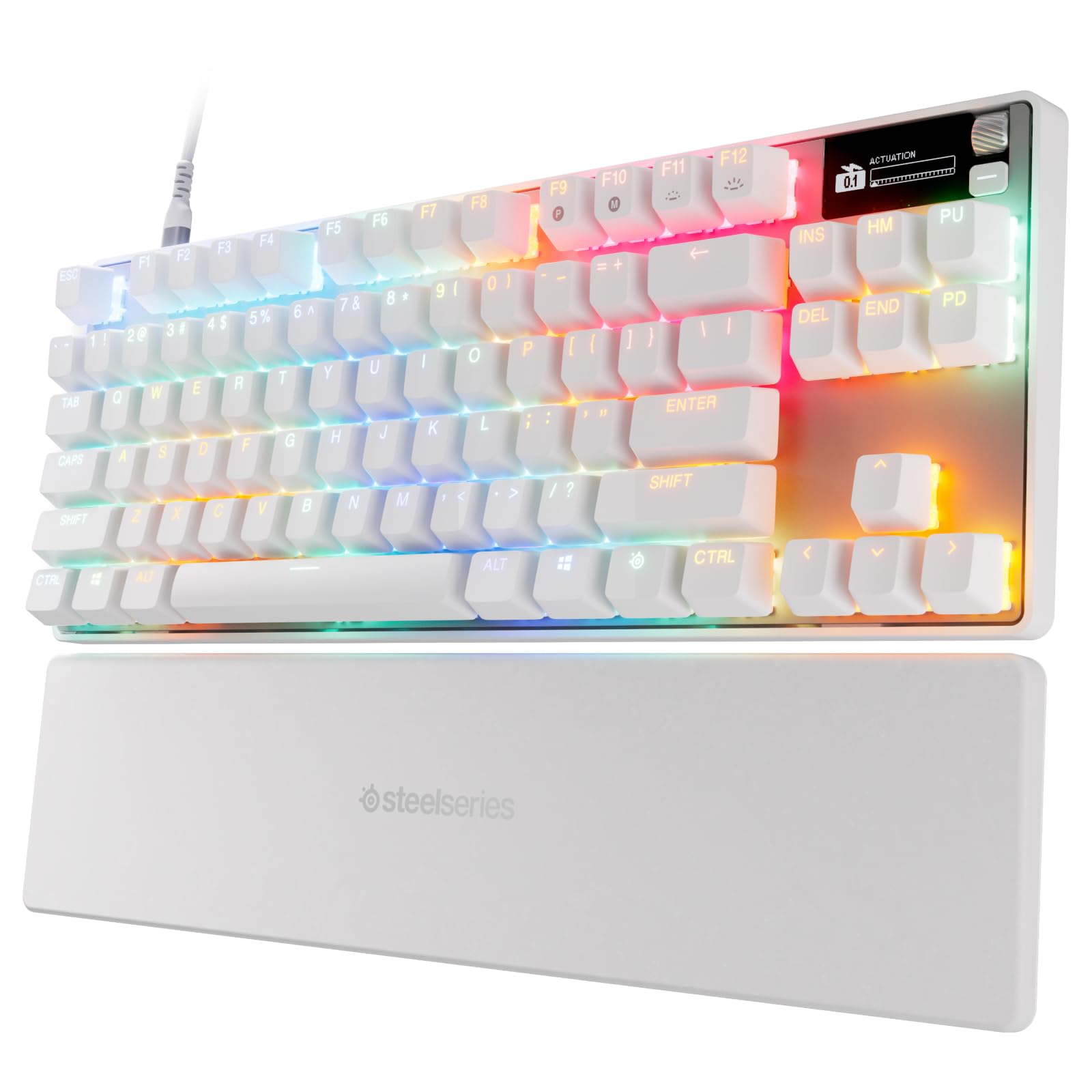
Read Amazon ReviewsSteelSeries Apex Pro TKL Gen 3
A compact wired gaming keyboard for players who want finely adjustable key actuation, rapid input features, and onboard settings.
- Tenkeyless gaming keyboard design in a white finish.
- OmniPoint 3.0 Hall Effect magnetic switches with 40 adjustable actuation levels, from 0.1 mm to 4.0 mm.
- Rapid Trigger resets a key when it is released, designed to support quicker repeated actions.
- Rapid Tap prioritizes the latest key press to support rapid directional changes.

Pros
- Fine-grained actuation adjustment gives players room to tailor key response.
- Rapid Trigger, Rapid Tap, and Protection Mode address distinct competitive input needs.
Consider before buying
- The specialized input features are most useful to players who will configure and use them regularly.
- A 40-level actuation range may require experimentation before a preferred setup feels right.
Read the full review summary
The Apex Pro TKL Gen 3 combines Hall Effect switches with 40 actuation levels, Rapid Trigger, Rapid Tap, and Protection Mode.
Quickset auto-presets and an OLED display are designed to make configuration easier to access, while onboard storage keeps saved settings available without leaving a game.
It is best suited to competitive players who want to adjust how keys respond and are willing to spend time setting up game-specific profiles.
Buyers who mainly want a straightforward board for everyday typing may not make much use of its specialized controls, so the value depends on how much those adjustments matter to their routine.
The buying factors
Apex Pro TKL Scorecard
Editorial scores reflect listed features and buyer fit; they are not laboratory measurements or customer ratings.
Key response customization
Forty actuation levels from 0.1 mm to 4.0 mm allow substantial adjustment for different preferences and games.
Competitive input features
Rapid Trigger and Rapid Tap target quick resets and directional key changes, with Protection Mode intended to reduce nearby-key mistakes.
Profile convenience
Quickset auto-presets and onboard saved configurations are designed to make game-specific setup readily accessible.
On-keyboard control
The OLED display lets users change settings directly from the keyboard.
Compact gaming layout
The TKL form factor offers a smaller footprint than a full-size keyboard, though the description does not detail its layout dimensions.
Everyday simplicity
Its extensive adjustment options may be more involved than necessary for buyers seeking a basic keyboard.
Key Features and Specifications of Apex Pro TKL
- Tenkeyless gaming keyboard design in a white finish.
- OmniPoint 3.0 Hall Effect magnetic switches with 40 adjustable actuation levels, from 0.1 mm to 4.0 mm.
- Rapid Trigger resets a key when it is released, designed to support quicker repeated actions.
- Rapid Tap prioritizes the latest key press to support rapid directional changes.
- Protection Mode is designed to reduce accidental presses on nearby keys.
- Quickset auto-presets can launch game configurations when a game loads.
- OLED smart display supports direct setting changes, and configurations can be saved onboard.
Pros and Cons of Apex Pro TKL
Pros
- Fine-grained actuation adjustment gives players room to tailor key response.
- Rapid Trigger, Rapid Tap, and Protection Mode address distinct competitive input needs.
- Game-linked Quickset presets can simplify switching between configurations.
- Onboard configuration storage and the OLED display keep settings accessible at the keyboard.
Consider before buying
- The specialized input features are most useful to players who will configure and use them regularly.
- A 40-level actuation range may require experimentation before a preferred setup feels right.
- The compact TKL design may not suit buyers who specifically need a full-size layout.
Who Should Buy Apex Pro TKL?
Good fit
Consider the Apex Pro TKL Gen 3 if your gaming routine benefits from adjusting how quickly keys actuate or reset.
The broad actuation range gives you options to tune response, while Rapid Trigger and Rapid Tap focus on quick follow-up and directional inputs.
It also makes sense if you want per-game setup to be easier to reach. Quickset presets are designed to launch with games, and the OLED display lets you adjust settings from the keyboard; saved configurations remain onboard.
Before choosing it, think about whether you will use those controls enough to justify a feature-rich keyboard. If customization is part of how you play, this model offers several relevant tools in one TKL design.
Who should skip it
Skip it if you want a simple keyboard and do not expect to adjust actuation, use rapid-input features, or maintain game-specific settings. Those capabilities are central to its design.
Choose a different layout if a full-size keyboard is essential to your setup; this model is tenkeyless.
How the Apex Pro TKL Gen 3 Fits Competitive Play
Adjustable actuation for different play styles
The 40 actuation levels, spanning 0.1 mm to 4.0 mm, make switch response the central customization feature.
Players can set a preferred point for different keys or games, but finding a comfortable arrangement may take some trial and adjustment.
Rapid inputs and directional changes
Rapid Trigger is designed to reset a key on release, supporting quick repeated actions. Rapid Tap instead focuses on recognizing the latest key press for directional changes, so the two features target different moments in fast gameplay.
A safeguard for nearby keys
Protection Mode is intended to reduce accidental presses on nearby keys.
That may appeal to players whose controls are tightly grouped, though it is one part of a broader setup and should be considered alongside personal key placement and habits.
Settings without leaving the game
Quickset auto-presets are designed to launch configurations with games, while the OLED screen provides direct access to settings.
Onboard configuration storage means saved profiles do not require leaving the game to retrieve them, making the customization easier to keep in the flow of play.
Alternatives to Apex Pro TKL
Computer Keyboards alternative
2,000+ ratings
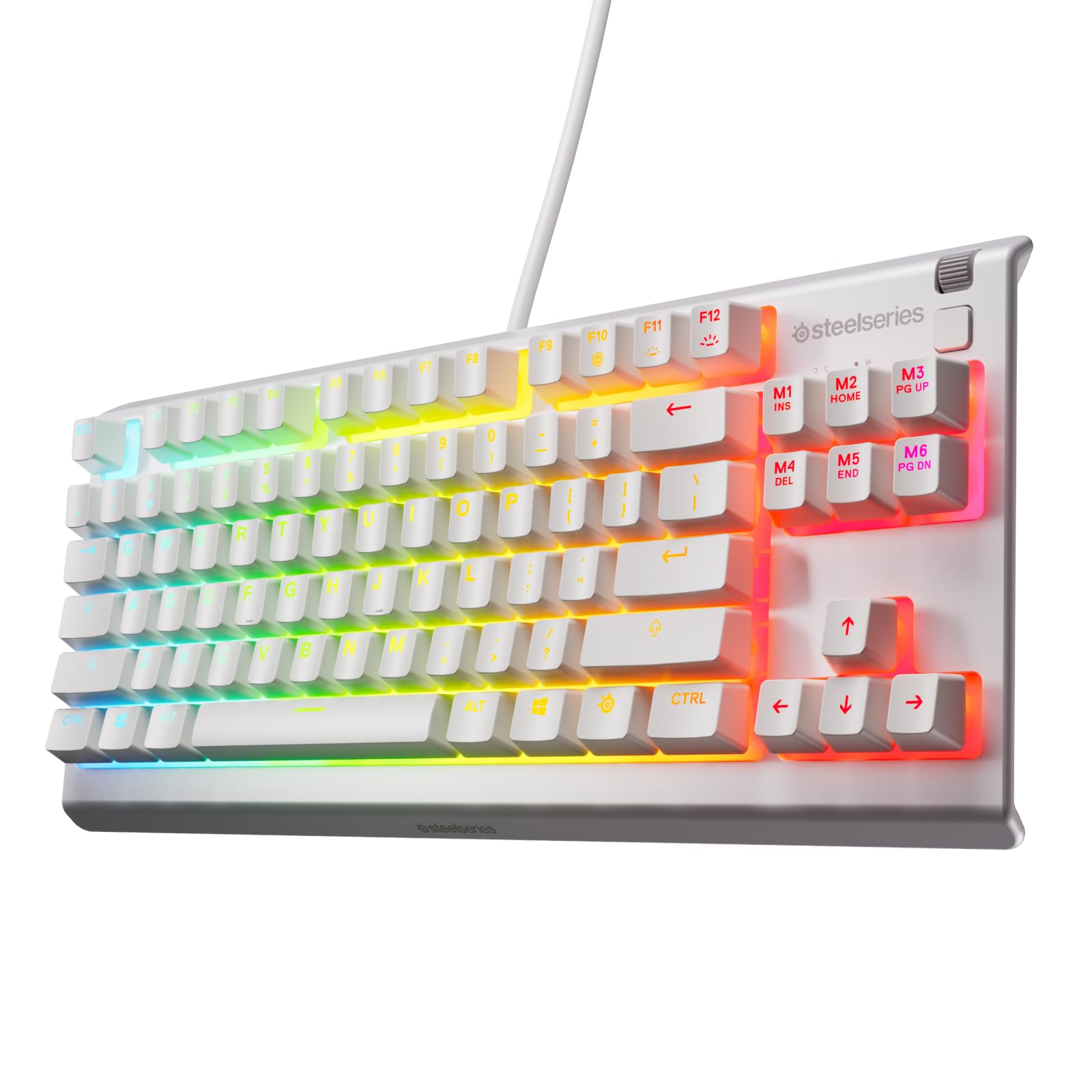
Read Amazon ReviewsSteelSeries Apex 3 TKL
Choose the Apex Pro TKL Gen 3 if adjustable actuation and its rapid-input tools fit your gaming style.
The Apex 3 TKL is a more straightforward compact option if quiet switches and water and dust resistance matter more than fine-grained switch adjustment.
- The Apex 3 TKL combines a tenkeyless design with whisper-quiet gaming switches, anti-ghosting keys, water and dust resistance, and 8-zone RGB illumination.
- The Apex Pro TKL Gen 3 emphasizes adjustable magnetic actuation, rapid-input features, and onboard game configurations.
Computer Keyboards alternative
8,000+ ratings
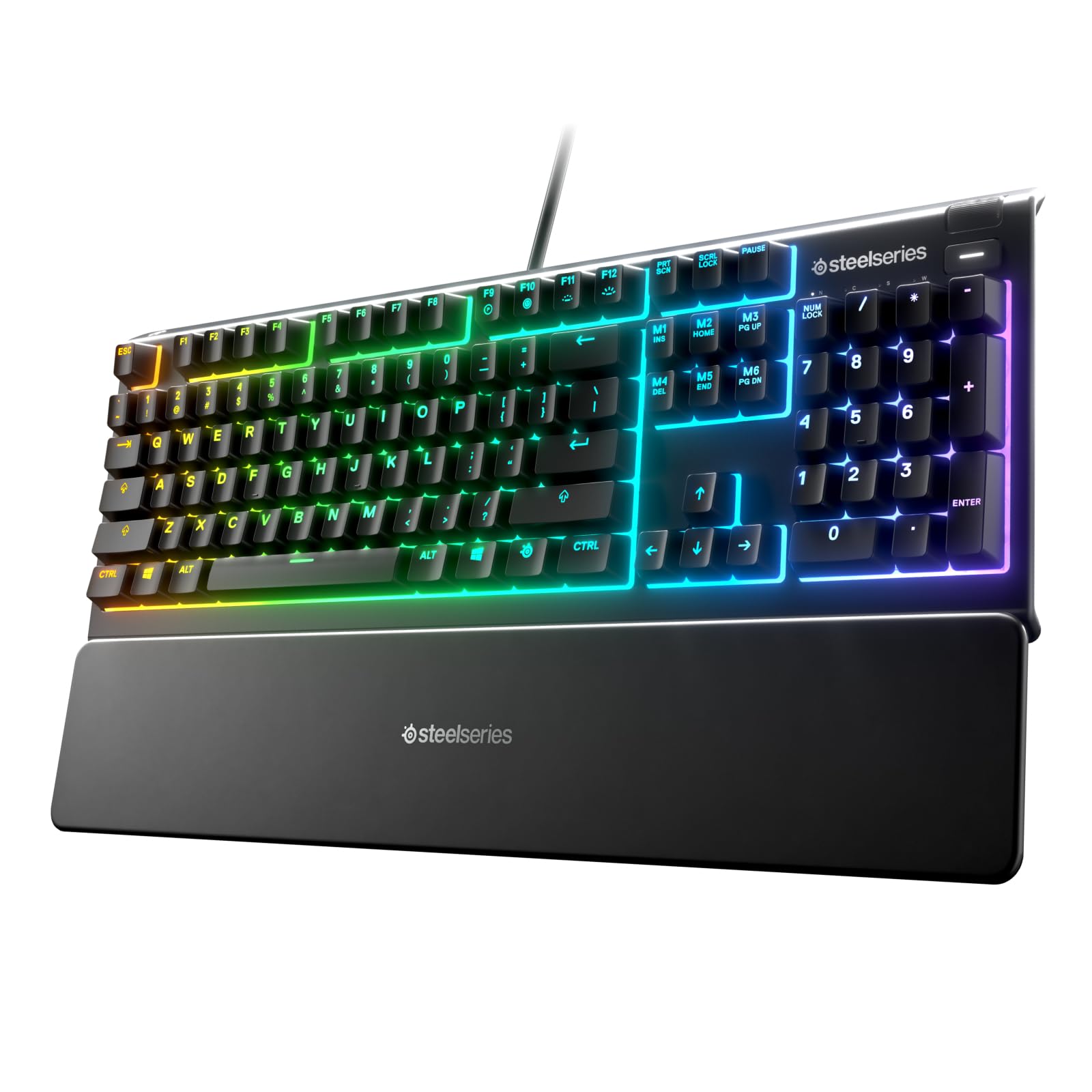
Read Amazon ReviewsSteelSeries Apex 3
Pick the Apex Pro TKL Gen 3 for adjustable actuation and its compact layout.
The full-size Apex 3 may suit buyers who prefer dedicated multimedia controls and a wrist rest, with spill resistance and quiet switches as practical priorities.
- The Apex 3 has 10-zone RGB lighting, whisper-quiet gaming switches, IP32 water resistance, dedicated multimedia controls, and a magnetic wrist rest.
- The Apex Pro TKL Gen 3 is tenkeyless and centers on customizable magnetic switches and competitive input controls.
Is Apex Pro TKL Worth It?
The SteelSeries Apex Pro TKL Gen 3 is worth considering for competitive players who want to tune key actuation and use rapid-input features, with Quickset presets and onboard settings adding convenience.
Its strongest case is customization focused on gaming.
Buy it if those controls match your play style and a TKL layout suits your desk. If you want a quieter, simpler keyboard or need a full-size layout, the SteelSeries Apex 3 options may be a better fit.
Your review at a glance
500+ ratings
Read Amazon ReviewsSteelSeries Apex Pro TKL Gen 3
A compact wired gaming keyboard for players who want finely adjustable key actuation, rapid input features, and onboard settings.
- Tenkeyless gaming keyboard design in a white finish.
- OmniPoint 3.0 Hall Effect magnetic switches with 40 adjustable actuation levels, from 0.1 mm to 4.0 mm.
- Rapid Trigger resets a key when it is released, designed to support quicker repeated actions.
- Rapid Tap prioritizes the latest key press to support rapid directional changes.